

Appearance
Multi-option split
The Multi-option split action lets you create multiple conditional paths in your API Endpoint. Each path can handle different scenarios with their own set of actions.
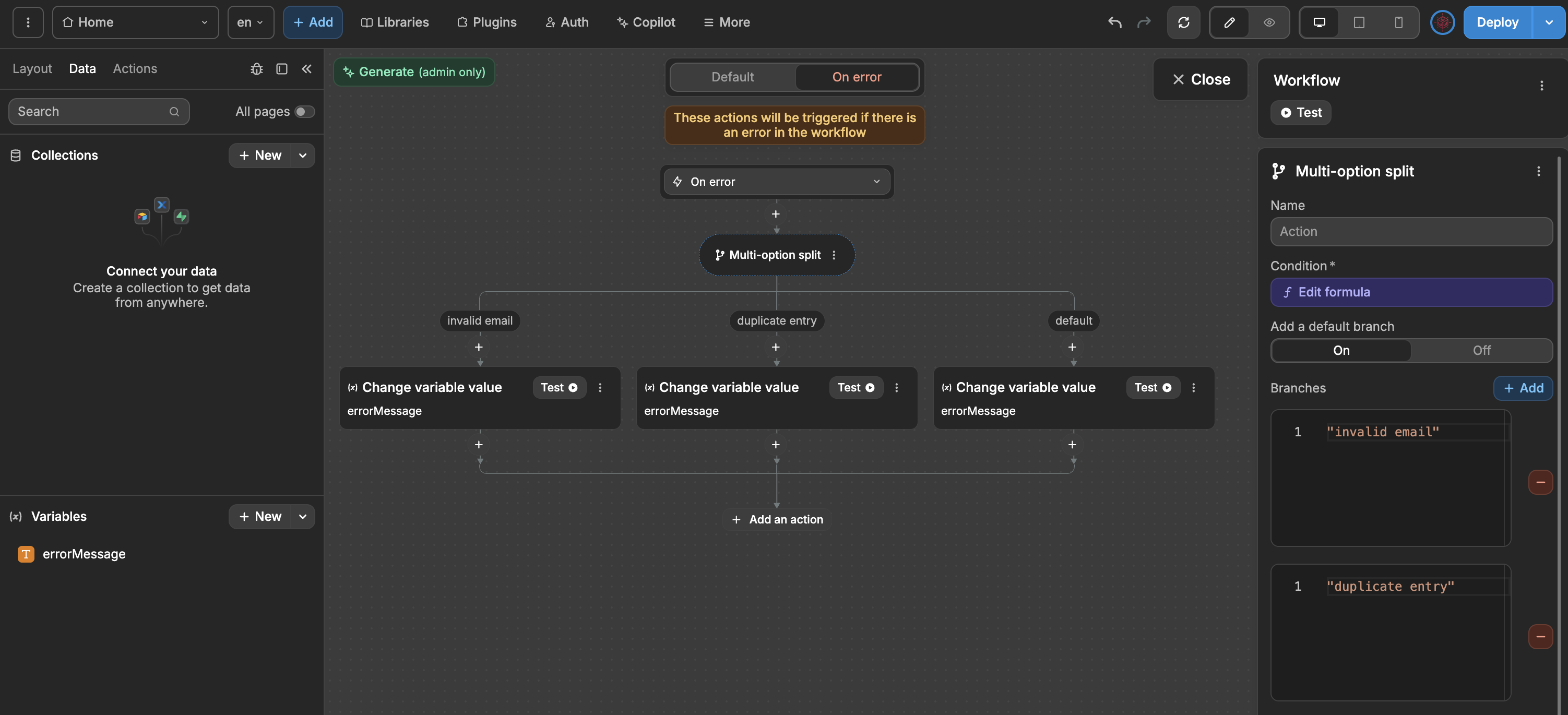
Configuration
Default branch— Optional fallback if no conditions matchBranches— Add multiple conditions and their corresponding actions
How it works
The action evaluates each branch condition in order from top to bottom. When a condition matches, that branch executes and the remaining branches are skipped. If no conditions match, the default branch executes (if configured).
Example: Error handling
Here's how you can use it to handle different error types by sending different responses:
plaintext
├── When: error.type === "invalid_email"
│     └── Then: Send response with 400 status "Invalid email format"
├── When: error.type === "duplicate_entry"
│     └── Then: Send response with 409 status "Record already exists"
├── When: error.type === "unauthorized"
│     └── Then: Send response with 403 status "Access denied"
└── Default Case:
      └── Send response with 500 status "An unexpected error occurred"
Common use cases in API Endpoints
- HTTP status codes — Return different status codes based on error types
- Request routing — Direct requests to different processing logic based on input type
- Feature flags — Enable different features based on subscription plans or user roles
- Data validation — Handle different validation failure scenarios
Example: Subscription-based access
plaintext
├── When: user.plan === "enterprise"
│     └── Full access to all features
├── When: user.plan === "pro"
│     └── Access to pro features
├── When: user.plan === "free"
│     └── Access to basic features only
└── Default:
      └── Send error "Invalid plan"
TIP
Multi-option split is incredibly flexible - you can add as many branches as your logic requires. This makes it perfect for creating sophisticated decision trees and handling multiple scenarios in your API Endpoints.
CONTINUE LEARNING
Learn how to handle errors gracefully in your API Endpoints.