Appearance
404 page
When users of your app try to access a page that doesn't exist, it is best practice to redirect them to a custom 404 page.
Create a 404 page
To create a custom 404 page:
- Open the
Pagespanel in theInterfacetab - Click on
Add Page - Name your page (e.g., "404 Not Found")
- Set the page default path to
404
Once created, whenever a user tries to access a page that doesn't exist, WeWeb will automatically redirect them to your custom 404 page.
Customize your 404 page
By default, this page will be empty but you can customize it like you would any other page in WeWeb.
Common elements to include on a 404 page:
- A clear message explaining the page wasn't found
- A link or button to navigate back to the homepage
- Navigation menu to help users find what they're looking for
- Search functionality (optional)
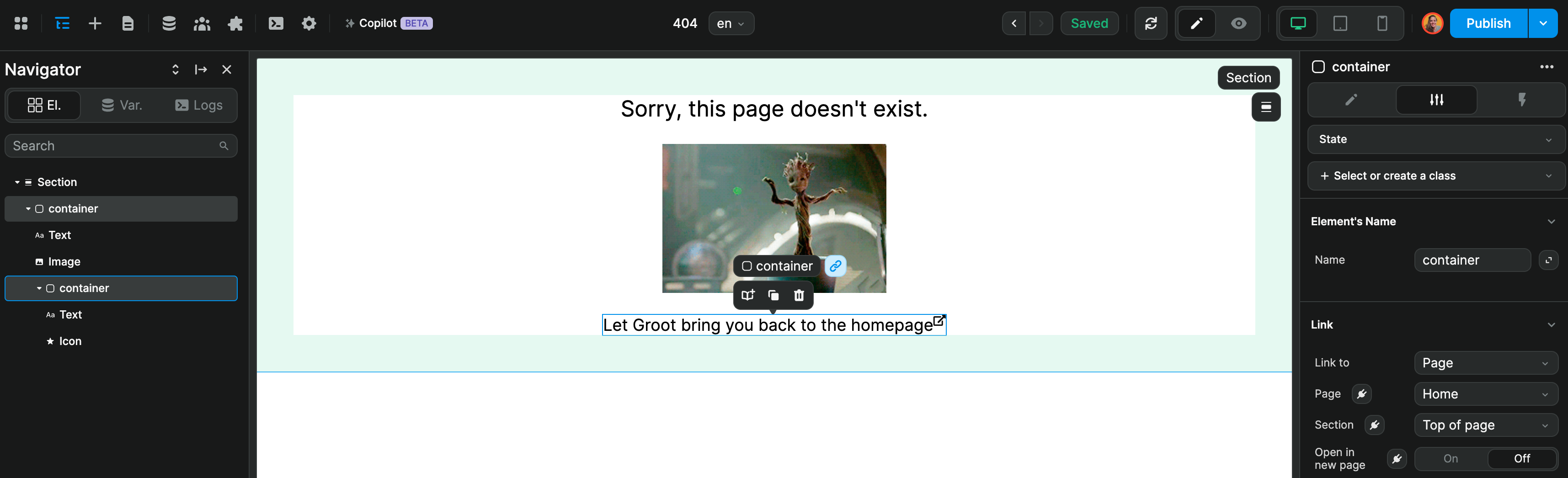
In the example below, we let the user know they're lost and give them an option to navigate back to our homepage: