Appearance
Change theme
Change theme action
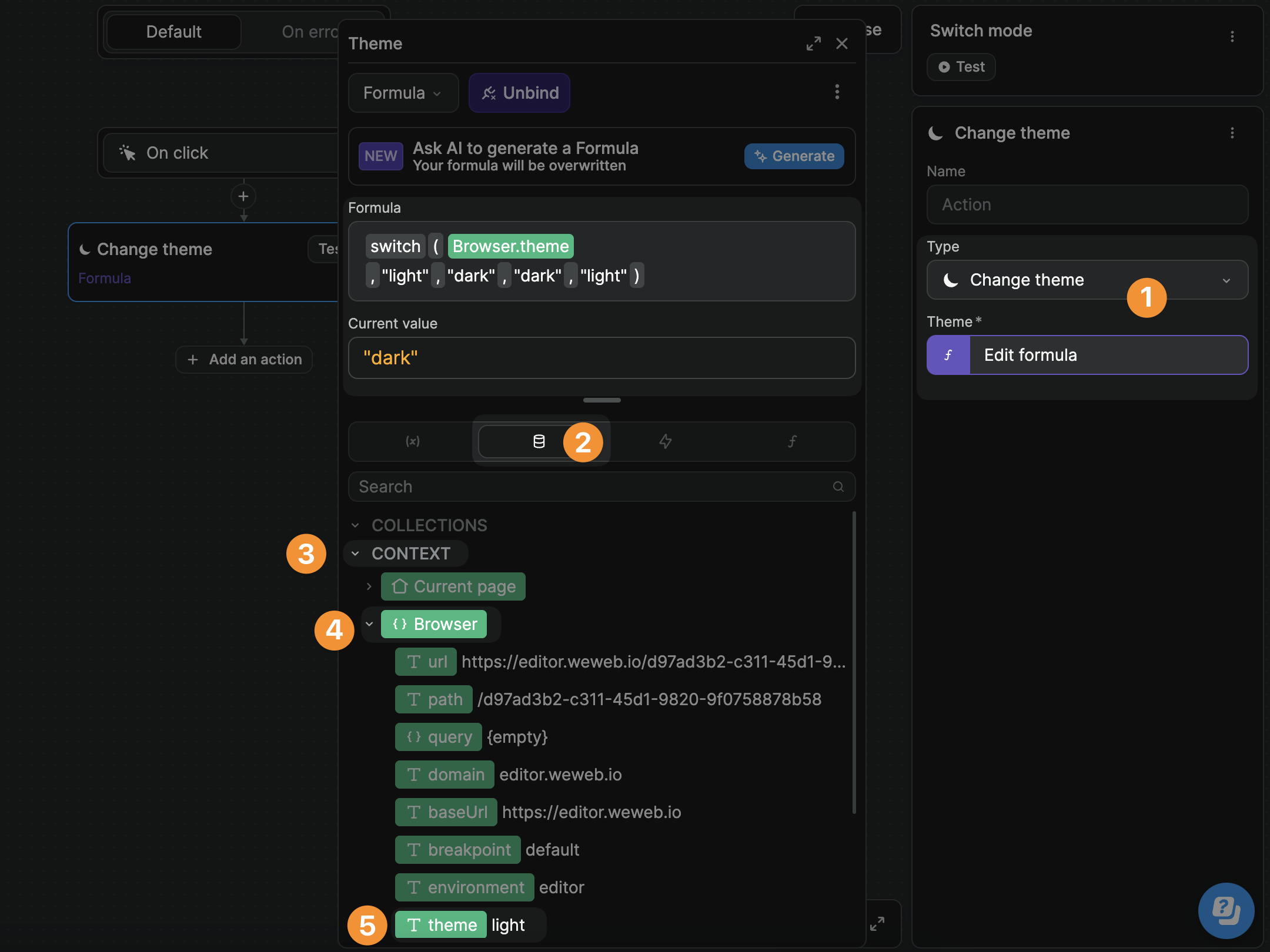
The Change theme action is helpful to allow users to switch between light mode and dark mode on your WeWeb app:
TIP
The theme variable is in the context of the user's browser. This means that the value is stored in the user's browser.
If user A switches to dark mode on browser A and login to the app later in browser B, they will view the app in browser B in light mode. But if they login again in browser A, they will view the app in dark mode.
Leveraging library colors
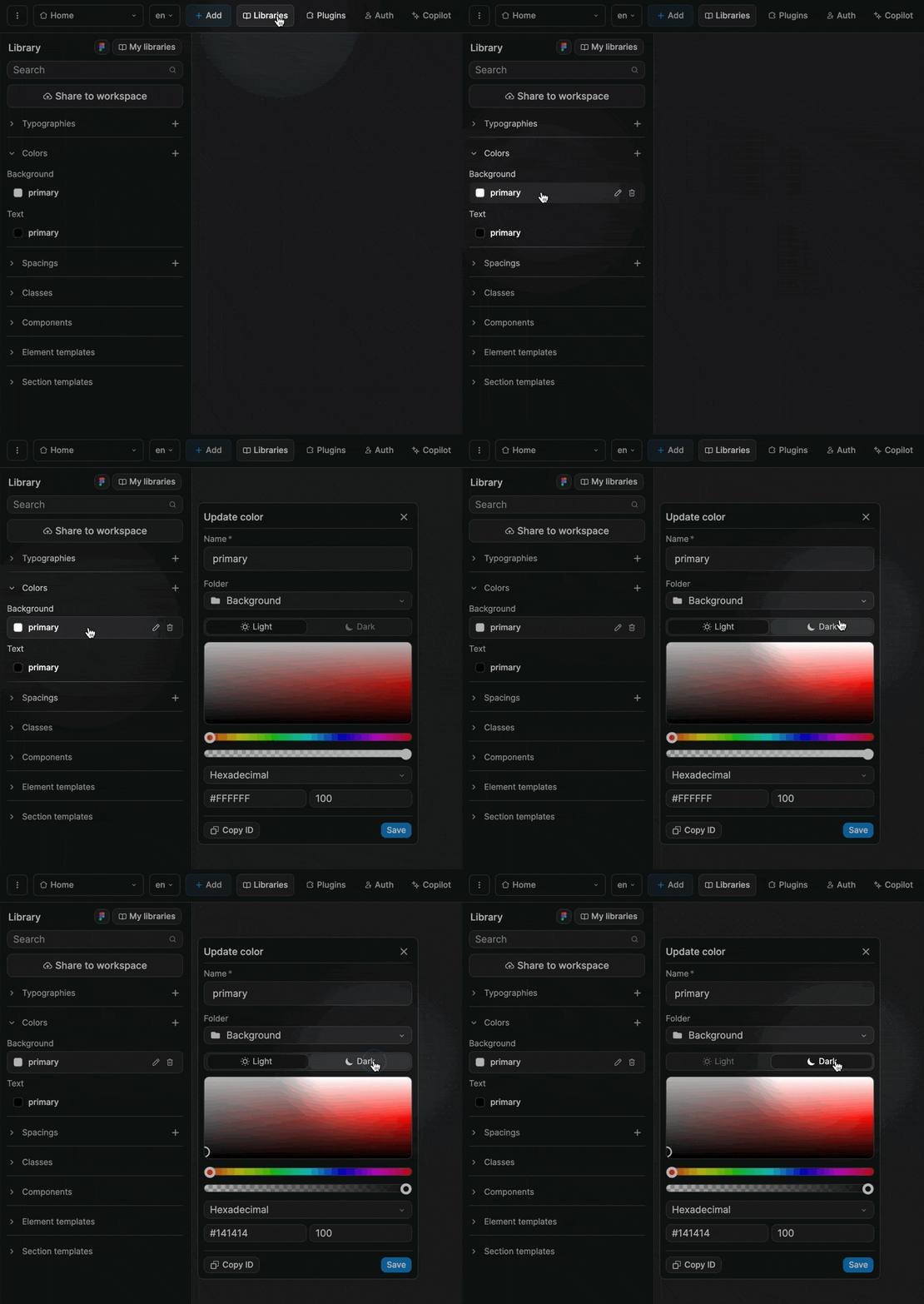
When you create a color in a WeWeb library, you have the option to attach the color to a Light theme or a Dark theme:
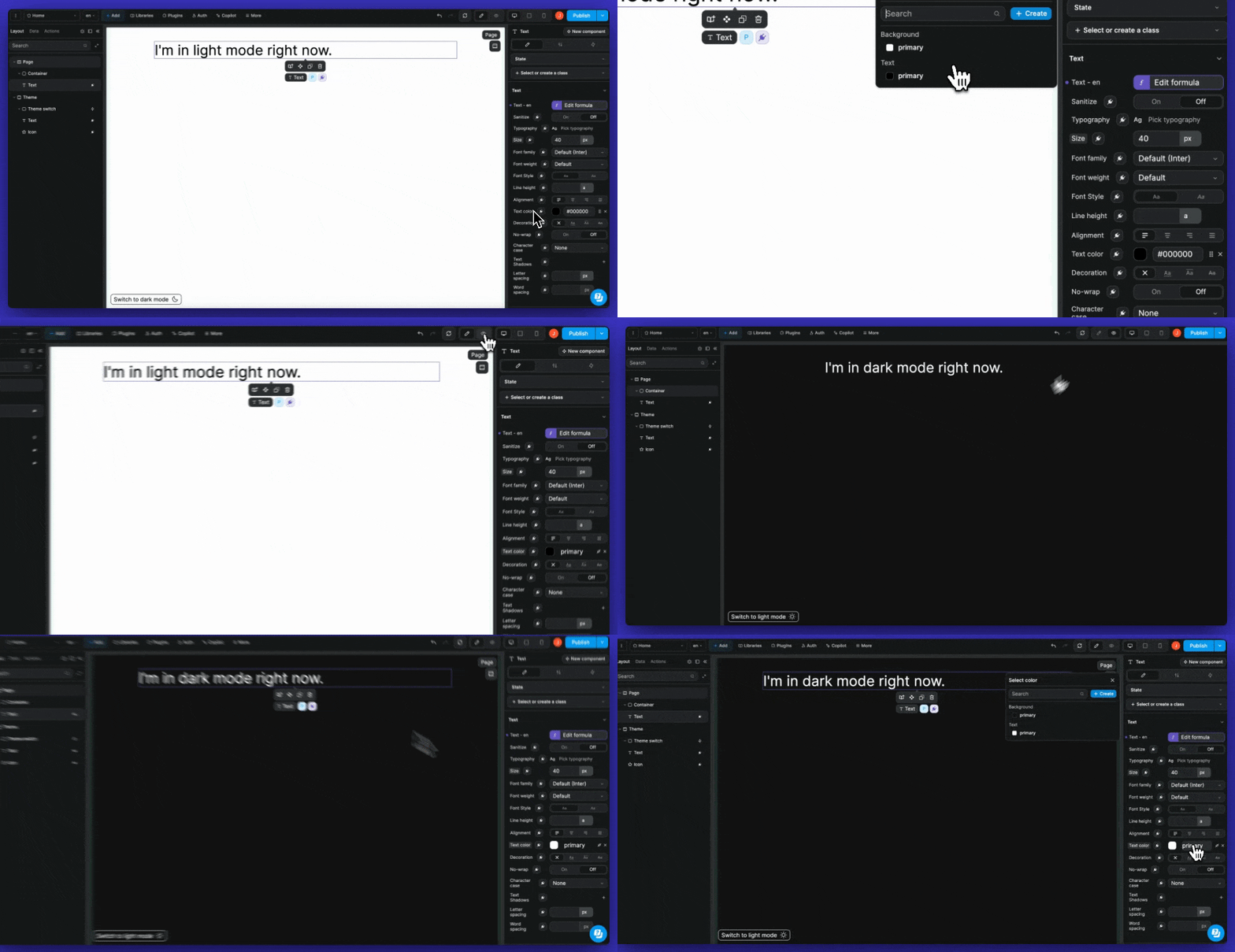
Using this option makes it easier to build and maintain beautiful themes because you can bind to a color from the library instead of handling color options in a separate variable:
Theme at app level
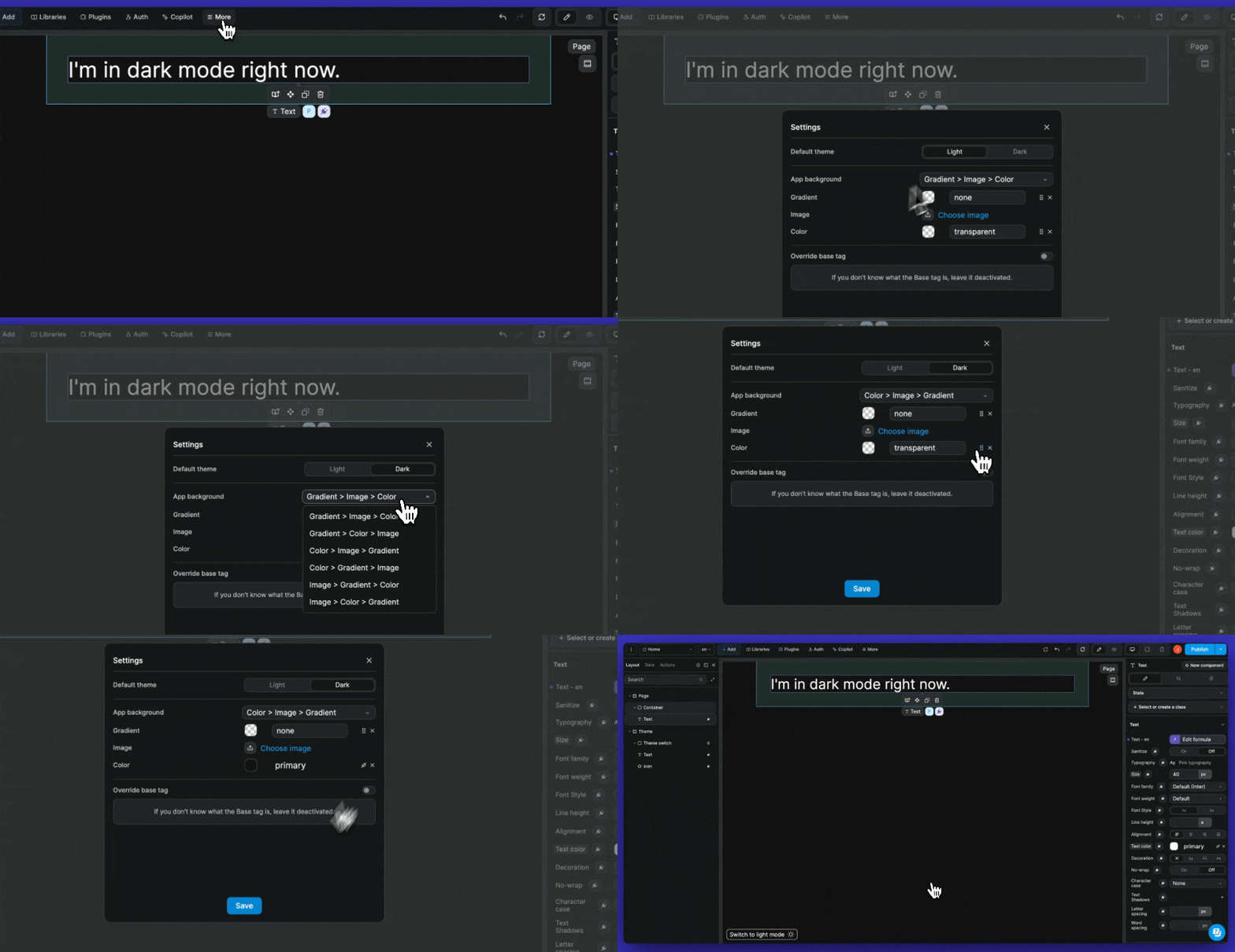
At app level, you can choose:
- A default theme for your app
- Background options and hierarchy (e.g.
Color > Gradient > Image) - A default color background
To apply themes at app level, go to More > Settings