Appearance
Object formulas
Object formulas are useful to manipulate objects inside WeWeb.
createObject
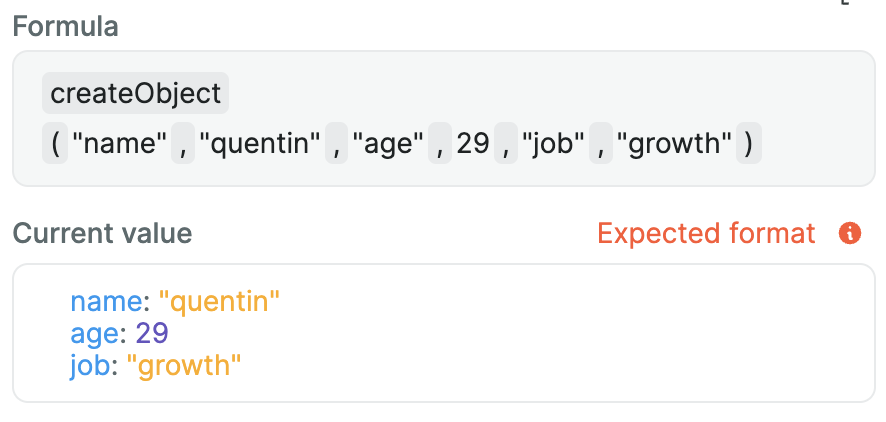
This formula helps you create JavaScript objects using nocode. List pairs of keys and values that will be transformed into an object.
Example
Let's say we want to create this object using a formula:
js
{
    name: "quentin",
    age: 29,
    job: "growth"
}
We would do it in WeWeb like so:
getKeyValue
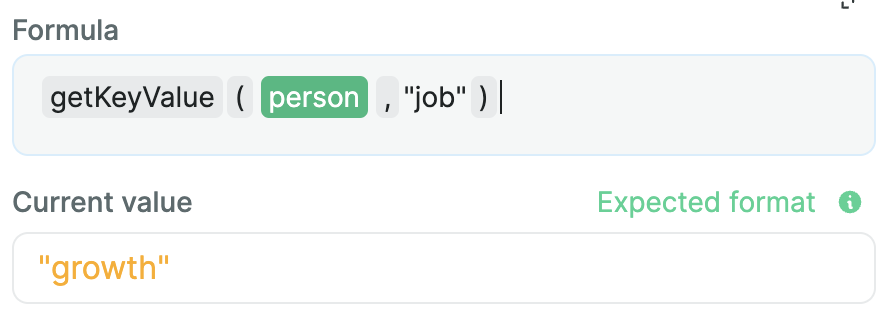
This formula will return the value for a given key in an object.
Example
Taking back our previous object, now stored in a person variable:
js
{
    name: "quentin",
    age: 29,
    job: "growth"
}
Let's say we want to get back the value for the job key. We would do it like this:
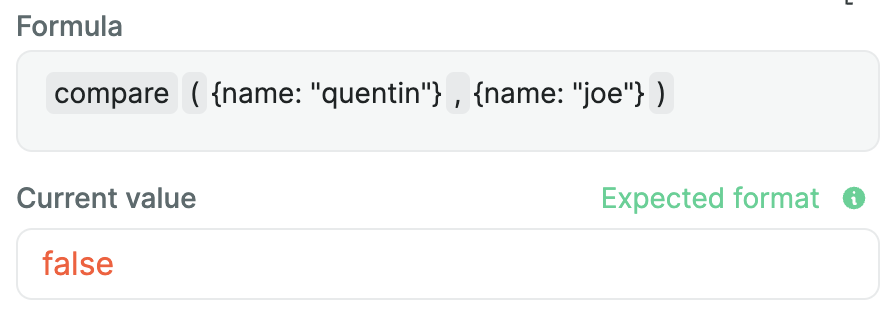
compare
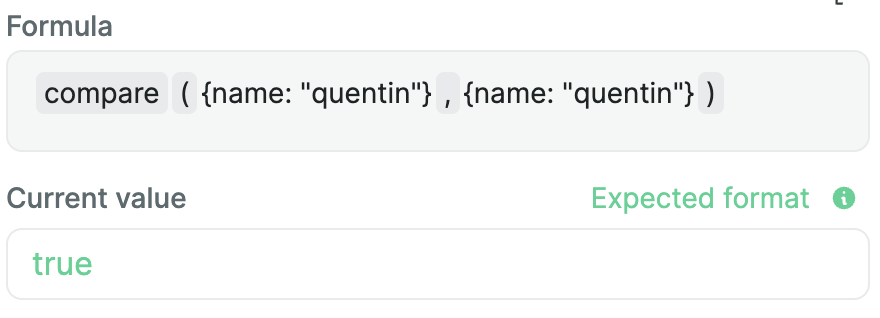
This formula will check if two objects are equal, meaning if they have the same key and values.
Example
keys
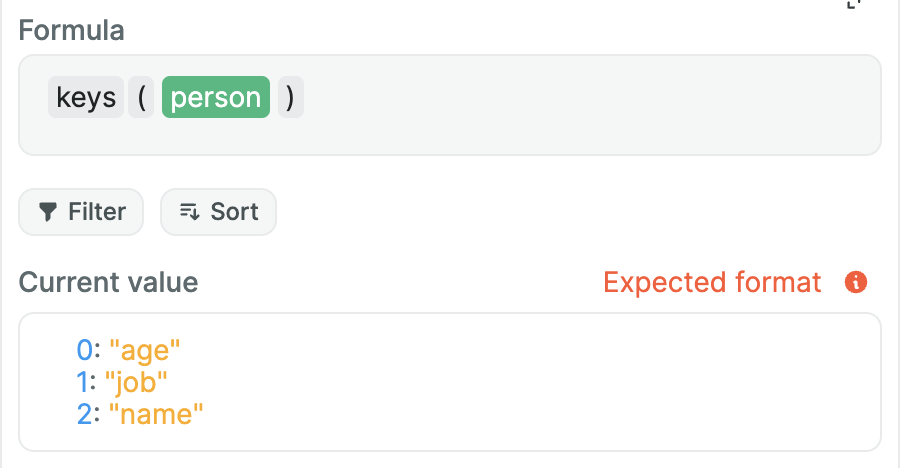
The keys formula will return all keys from a given object as an array.
Example
Using our previous person object:
js
{
    name: "quentin",
    age: 29,
    job: "growth"
}
Using the keys formula will give us:
omit
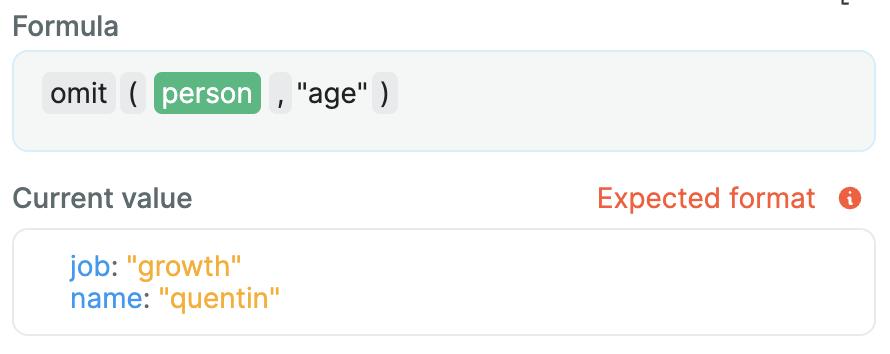
Given an object, this formula will return it without some listed keys.
Example
Using our previous person object:
js
{
    name: "quentin",
    age: 29,
    job: "growth"
}
Let's say we want to remove the age from it. We'll use omit for this:
pick
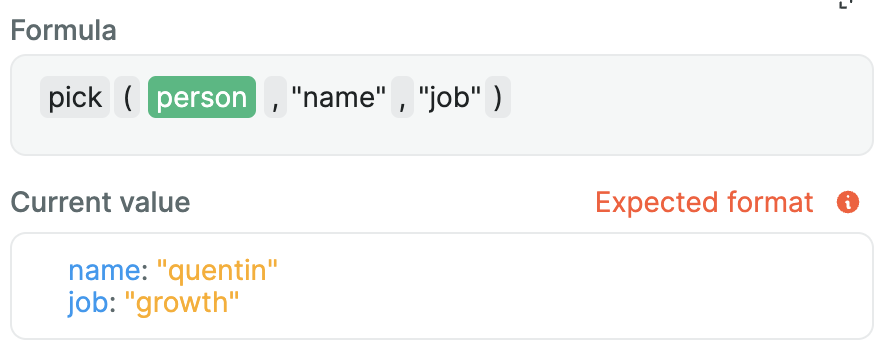
This formula will do the exact opposite as omit. Meaning it will return an object with certain given keys only.
Example
Let's say we want to do the same as the previous example, but using pick. We would do:
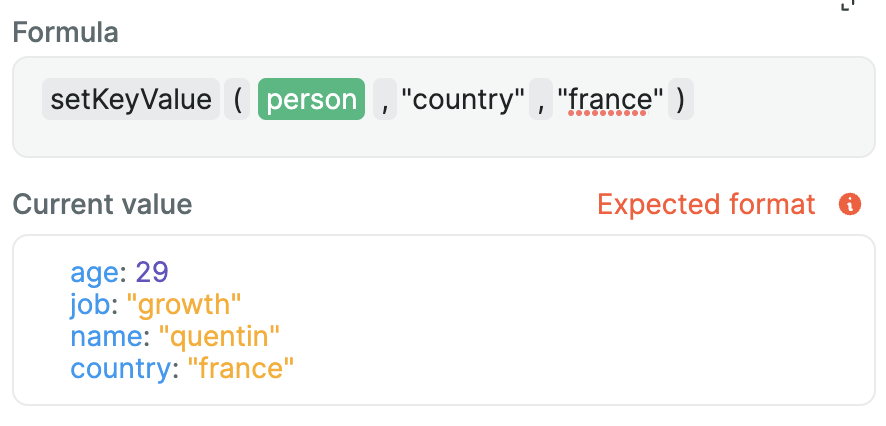
setKeyValue
setKeyValue will add a given key with a given value to an object.
Example
Using our previous person object:
js
{
    name: "quentin",
    age: 29,
    job: "growth"
}
We want to add a country key to it. Here's how we would do it:
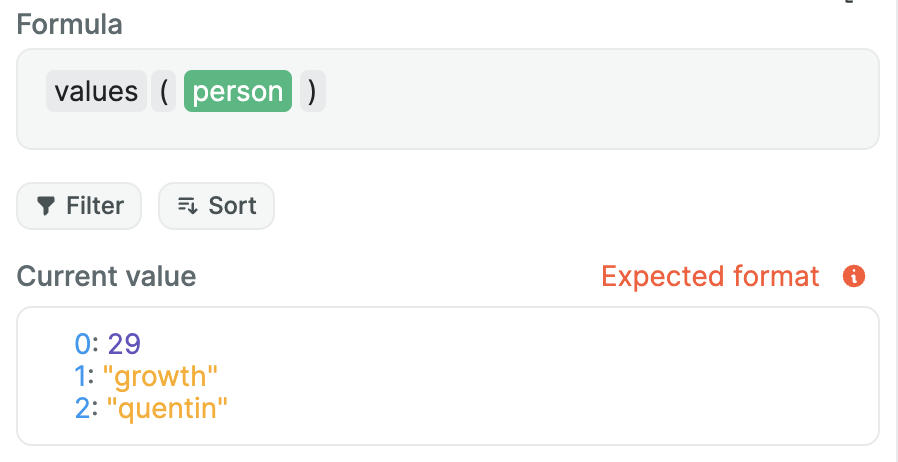
values
This formula will return all the values from a given object as an array.
Example
Using our previous person object:
js
{
    name: "quentin",
    age: 29,
    job: "growth"
}
Here's how to list all of the values: