

Appearance
Private pages
Pre-requisite
To make a page private in WeWeb, you first need to have added and configured an authentication provider in the Data & API tab. Learn more about SSO Providers.
For authenticated users
Once you have configured an authentication provider, you can control who can access each page.
To configure private page access:
- Open the
Pagespanel in theInterfacetab - Click on the page you want to configure
- Click on
Private accessin the page menu - In
Who can access this page, choose betweenEverybodyorAuthenticated users
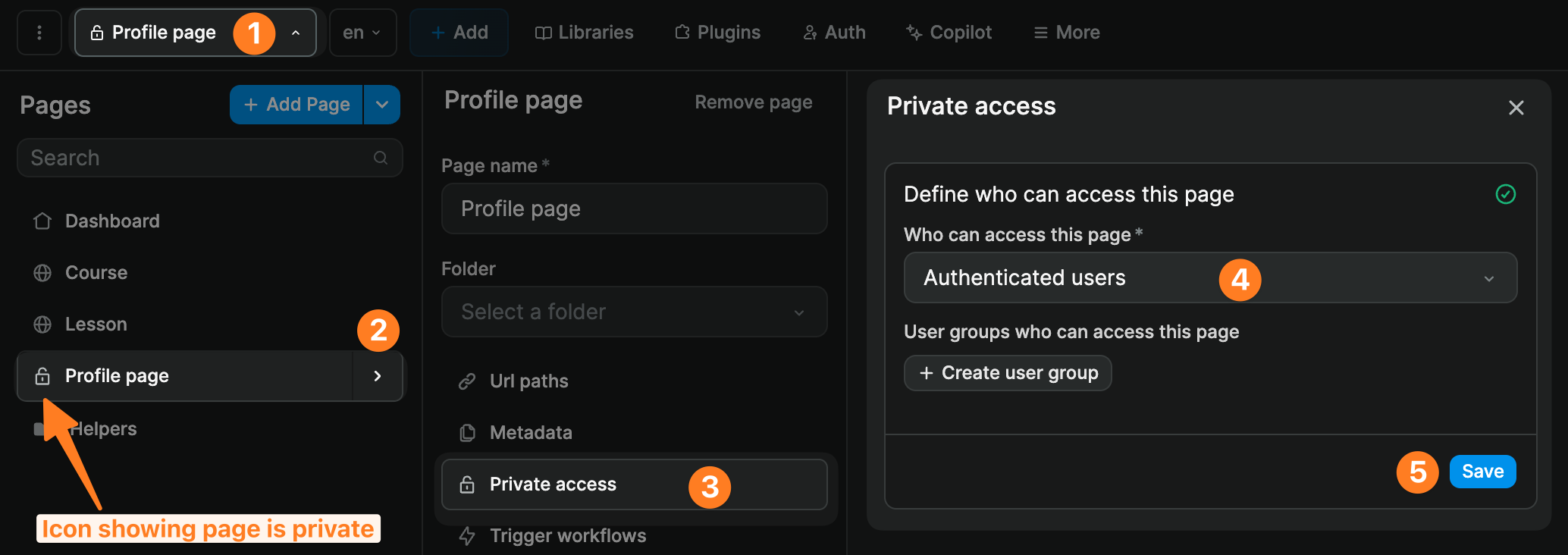
If you choose the Authenticated users option, the page will only be accessible to users that are logged in.
TIP
Inside the WeWeb editor, you will be able to access all pages, including private pages, even if the user is not logged in. This was done to avoid users being stuck when building in WeWeb.
WARNING
When configuring redirections in your authentication settings (in the Data & API tab), make sure you redirect unauthenticated users to a public page. If you redirect unauthenticated users to a page that is only accessible to authenticated users, you'll be creating an infinite loop and your app will crash.
USING SUPABASE AUTH?
If Supabase is your Authentication System and roles live in your own Supabase table (for example profiles.role), you can also use the Role-Based Page Access page workflow template. It checks the signed-in user’s role before the page loads data and redirects when access should be denied.
For user groups
If you have defined user roles in your backend and configured user groups in your authentication settings, you can restrict access to specific groups.
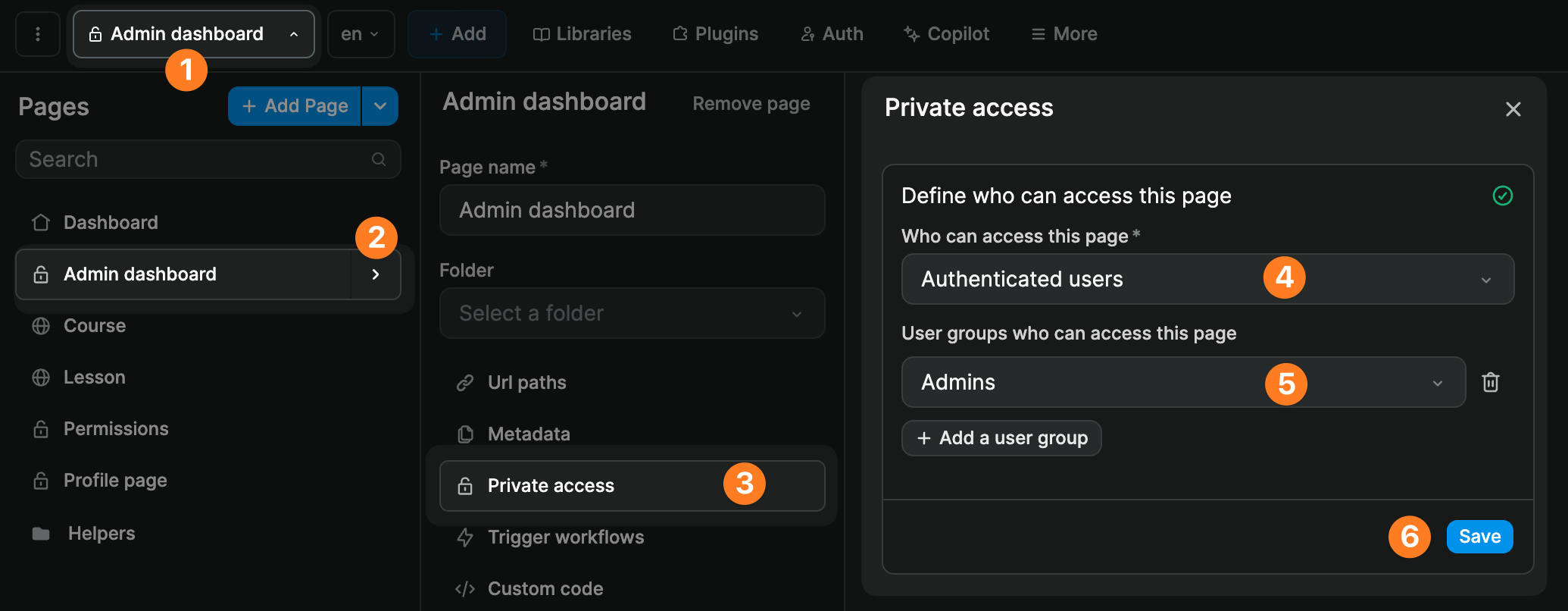
To restrict page access by user group:
- Open the
Pagespanel in theInterfacetab - Click on the page you want to configure
- Click on
Private accessin the page menu - Set
Who can access this pagetoAuthenticated users - Add the user groups that should be allowed to access the page
TIP
Inside the WeWeb editor, you will be able to access all pages, including private pages, even if the user is not part of the required user group. This was done to avoid users being stuck when building in WeWeb.
WARNING
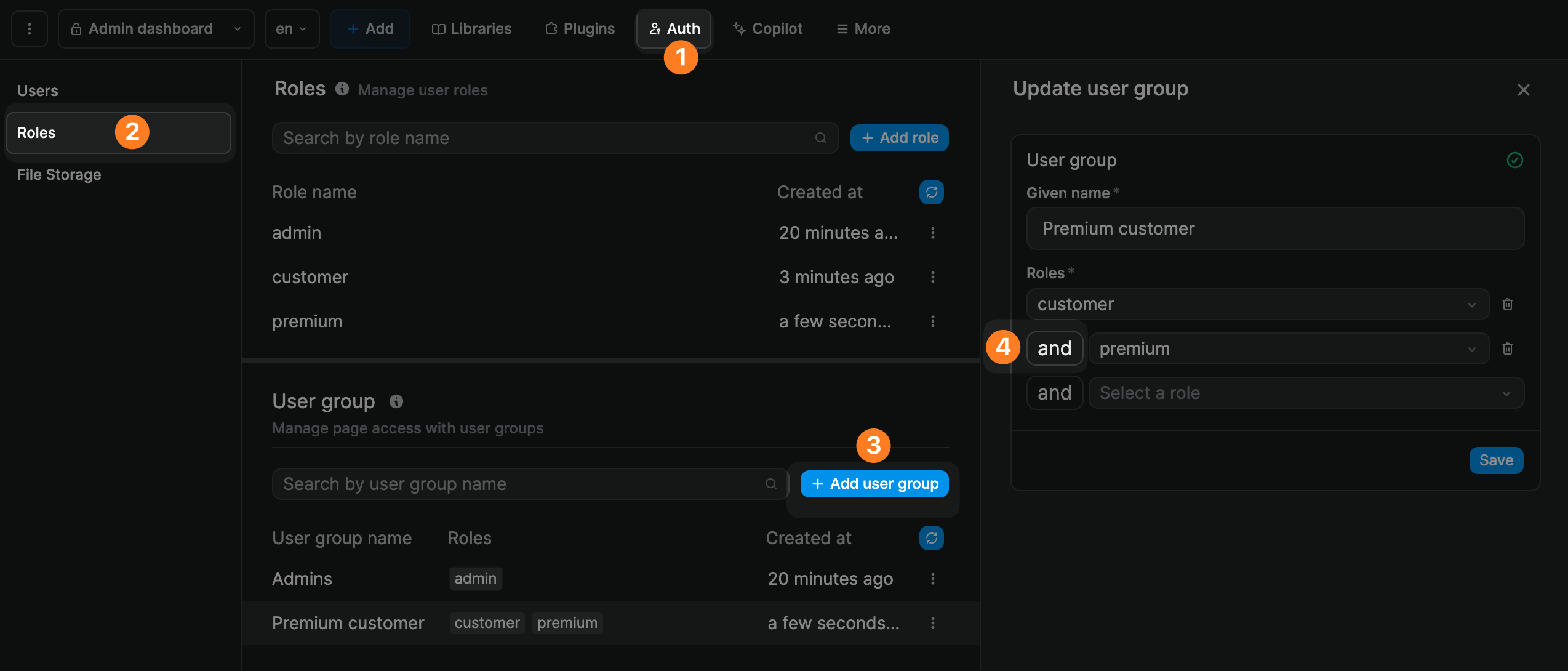
When you add several roles to a user group, a user needs to have BOTH these roles to be part of the user group. It's an AND statement, not OR.
If you add several user groups to the page, a user only needs to match one of those groups to access the page.
In the example below, the members of the Premium customer user group must have both the Customer and the Premium roles associated with their user profile:
Security
It's important to understand that gating content and making a page private is more of a UX feature than a security measure.
It is best practice to gate content because, by making a page private, you make it clear to users that they are not allowed to access the content on that page.
However, security always happens in the backend. To protect your data, you must secure the API endpoints or tables in your backend, even if the page that triggers those calls is private.
In other words, if users need to be authenticated or have a specific role to view or edit data, your backend should have access control checks that ensure that users have the proper authorizations when trying to access or update data.