

Appearance
Sitemap
A sitemap is a file where you provide information about the pages, videos, and other files on your app, and the relationships between them. Search engines read this file to crawl your site more efficiently.
When you publish a WeWeb app, an XML sitemap is generated automatically but you can also create your own custom sitemap if needed.
Auto-generated sitemap
When you publish a WeWeb app, an XML sitemap is generated automatically with all the public, static pages of your app.
You can view it at subdomain.yourdomain.com/sitemap.xml.
It will look something like this:
xml
<?xml version="1.0" encoding="UTF-8"?>
<urlset xmlns="http://www.sitemaps.org/schemas/sitemap/0.9" xmlns:xhtml="http://www.w3.org/1999/xhtml">
<url><loc>https://www.joycekettering.rocks/onboarding/</loc><lastmod>2024-07-12</lastmod><changefreq>monthly</changefreq><priority>0.5</priority><xhtml:link rel="alternate" hreflang="en" href="https://www.joycekettering.rocks/onboarding/" /></url>
<url><loc>https://www.joycekettering.rocks/post_login_page/</loc><lastmod>2024-07-12</lastmod><changefreq>monthly</changefreq><priority>0.5</priority><xhtml:link rel="alternate" hreflang="en" href="https://www.joycekettering.rocks/post_login_page/" /></url>
<url><loc>https://www.joycekettering.rocks/new-password/</loc><lastmod>2024-07-12</lastmod><changefreq>monthly</changefreq><priority>0.5</priority><xhtml:link rel="alternate" hreflang="en" href="https://www.joycekettering.rocks/new-password/" /></url>
<url><loc>https://www.joycekettering.rocks/forgot-password/</loc><lastmod>2024-07-12</lastmod><changefreq>monthly</changefreq><priority>0.5</priority><xhtml:link rel="alternate" hreflang="en" href="https://www.joycekettering.rocks/forgot-password/" /></url>
</urlset>
In the example above, taken from https://www.joycekettering.rocks/sitemap.xml, you can see the sitemap includes 4 pages:
- /Onboarding
- /Post_login_page
- /Forgot-password
- /New-password
The app actually contains more pages but these pages are either:
- Private pages, or
- Dynamic pages.
As a result, they are not included in the auto-generated sitemap.
This is because WeWeb assumes that you want to keep private pages private from search engines and, when you publish dynamic collection pages, the information regarding those pages is in your backend, not WeWeb.
Custom sitemap
If the default WeWeb sitemap does not fulfill all your requirements, you can upload your own custom sitemap.
To upload a custom sitemap:
- In the top bar, open the
Interfacetab - In the left panel, open the
Assetstab - Click
Files - Click
Upload new fileand upload your custom sitemap
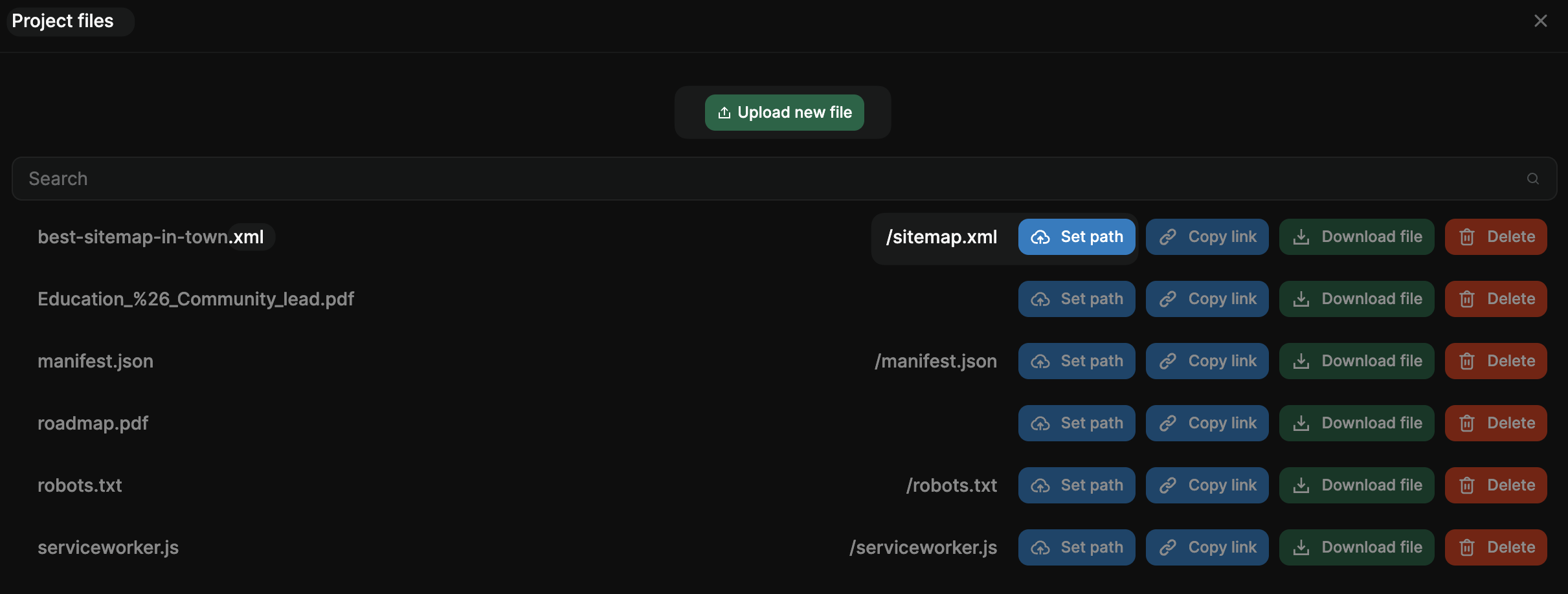
Name the file as you wish but make sure:
- It has an
.xmlextension - Its path is set to
/sitemap.xmlwithSet path
This will ensure that when you publish your WeWeb app, the auto-generated sitemap is overwritten by the custom sitemap you uploaded.