Appearance
Presence information
What is presence?
When working with realtime, it's often useful to receive and display information about online users. Enter "presence".
Presence is what allows you to see who is present in a realtime channel.
If you’re building a collaborative tool, for instance, presence allows you to see who is actively editing or viewing a document:
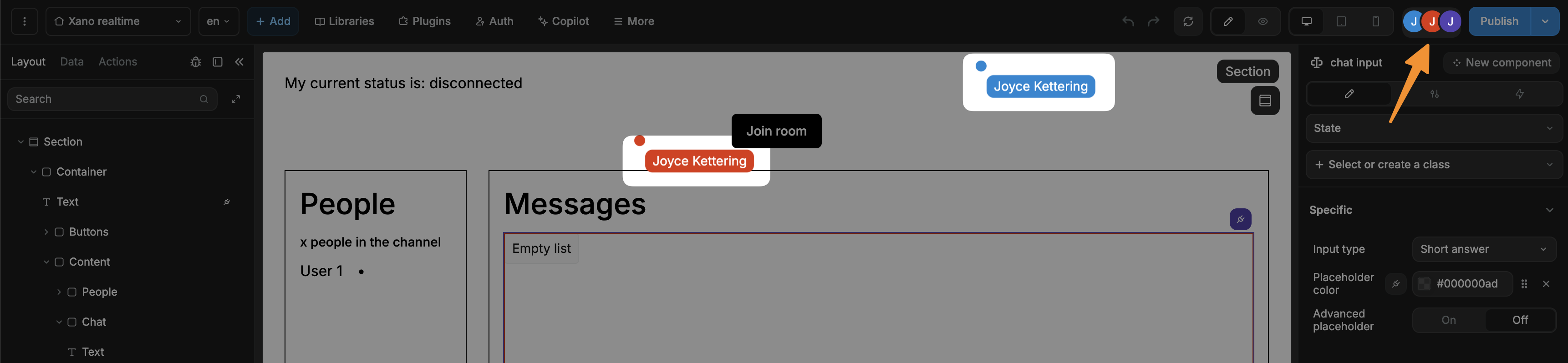
If you are building a message board or a game, it allows users to see who is available to join a game or who is actively participating.
Ultimately, the choice of using presence depends on your specific use case.
Pre-requisites
Before users of your WeWeb app can see who is connected in realtime, you need to:
- Enable and connect Xano realtime to your WeWeb project (as explained here).
- Open a channel in WeWeb with
Listen to presenceenabled (as explained here).
Once that's done, you can think of working with realtime presence information.
Presence workflow actions
To work with presence in WeWeb, you have access to:
- The
Get presenceworkflow action. - The
Presence fullworkflow trigger. - The
Presence updateworkflow trigger.
WARNING
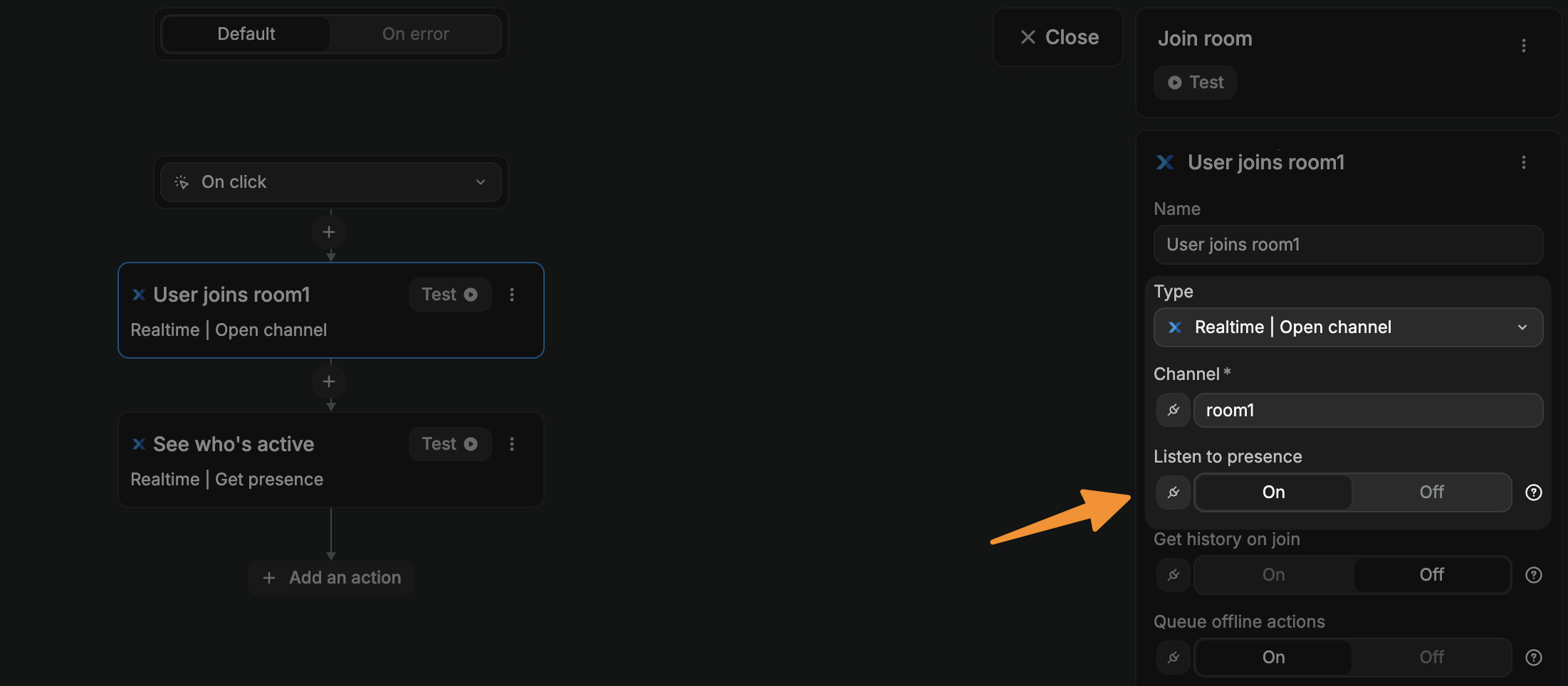
You will only be able to access a channel's presence information if you enabled the option when opening said channel:
The Get presence action and Presence full trigger both return the same presence array: a list of currently connected users or clients to a particular channel.
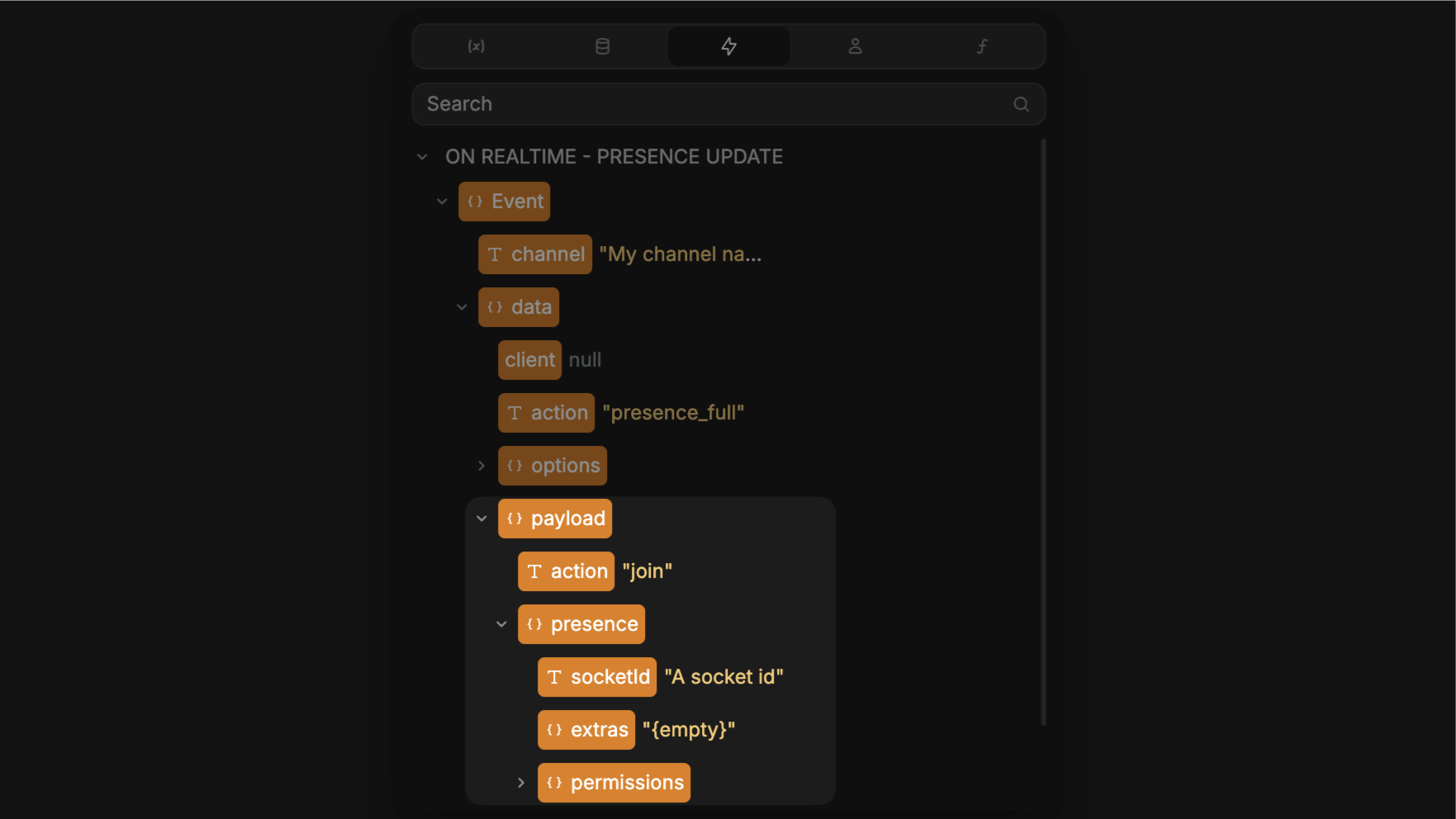
The Presence update trigger returns an object with information about the event, including but not limited to:
- The user's
action, i.e. if they joined or left the channel. - The user's
socketId.