

Appearance
Change language
The Change language action switches the display language of your application or specific pages. In WeWeb, you can add languages at either the app level (affecting the entire application) or page level.
How it works:
When you add a new language, all text content becomes translatable between your default language and added languages:
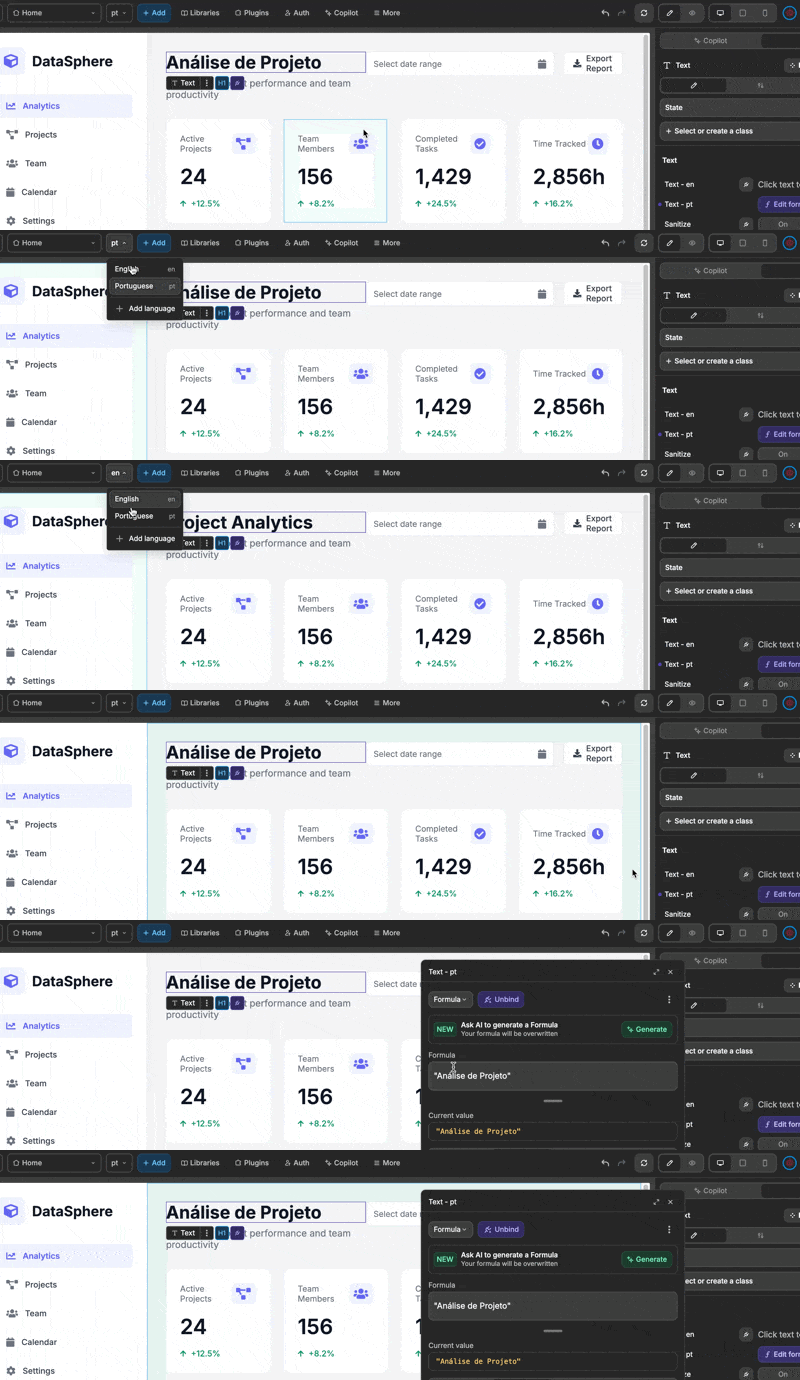
There are two ways to change languages in WeWeb:
- Using the Language dropdown element
- Using the
Change language actionin a workflow
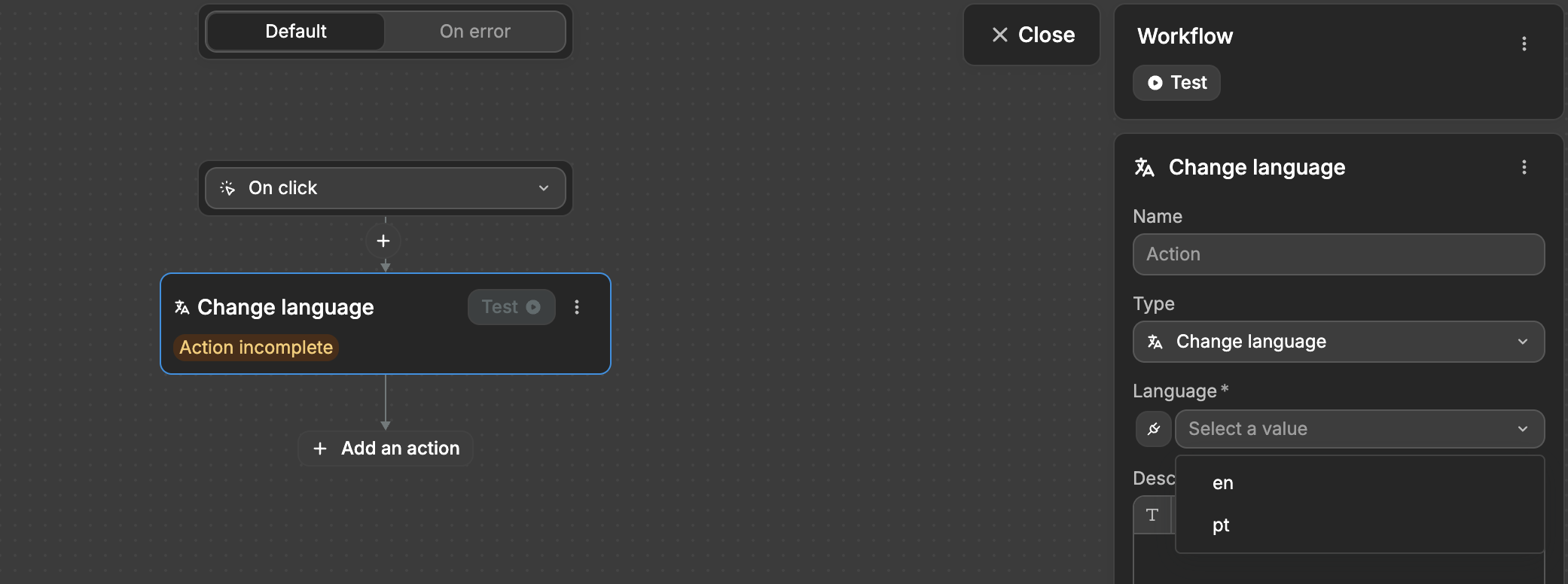
You can trigger the action through workflows, such as on a button click or when a specific condition is met. When the action is executed, the content on the page updates to the selected language, provided the necessary translations have been set up.