Appearance
SQL
Security warning
WARNING
The SQL plugin should be used with caution, only for internal app where every user can be trusted.
We developed this plugin for specific enterprise needs, building self hosted internal apps. It is not secure to expose such app on internet.
Configure query
The best way to work with SQL queries is to create a custom formulas with parameters.
Here is an example: 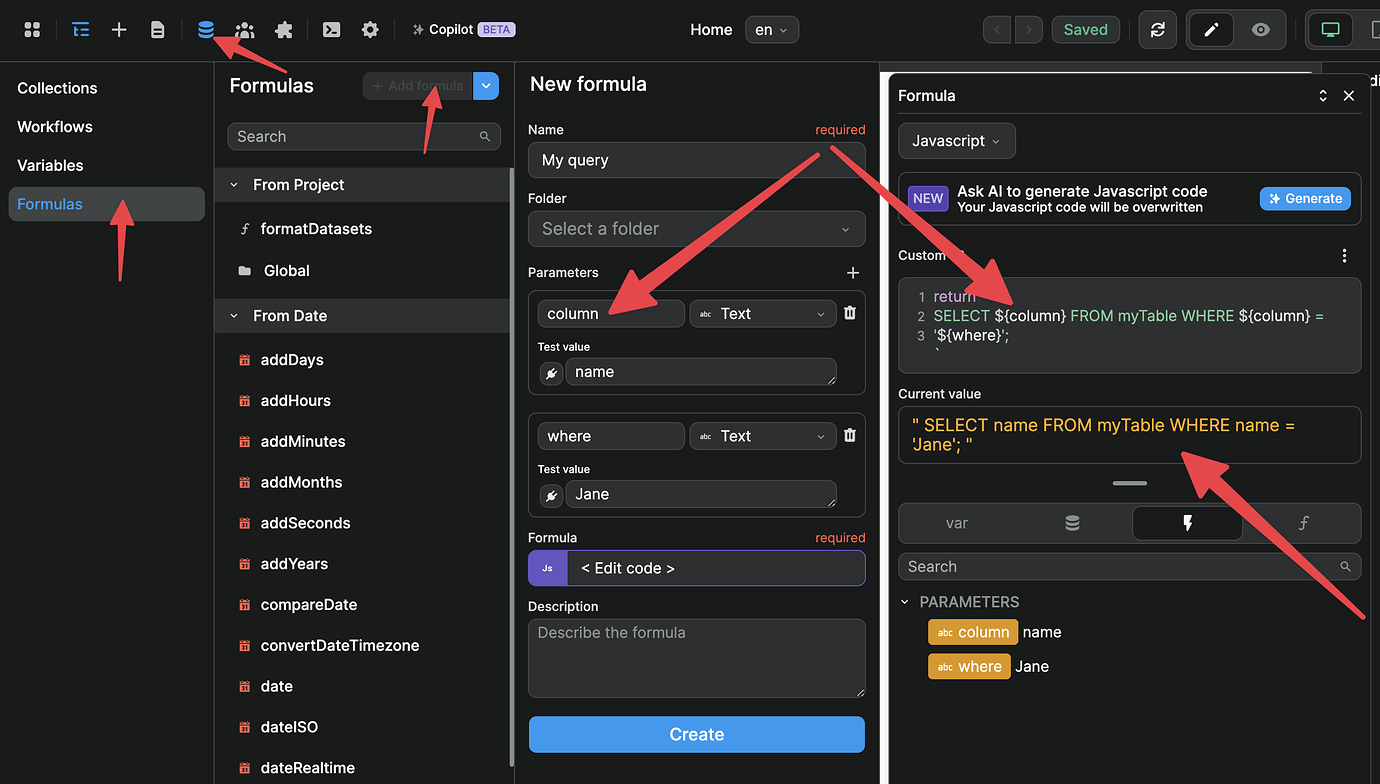
In the example above, we used the following code in our formula:
return ` SELECT ${column} FROM myTable WHERE ${column} = '${where}';
TIP
When adding your formula, remember to select the Javascript option to open the code editor and to click on Create to save the formula.
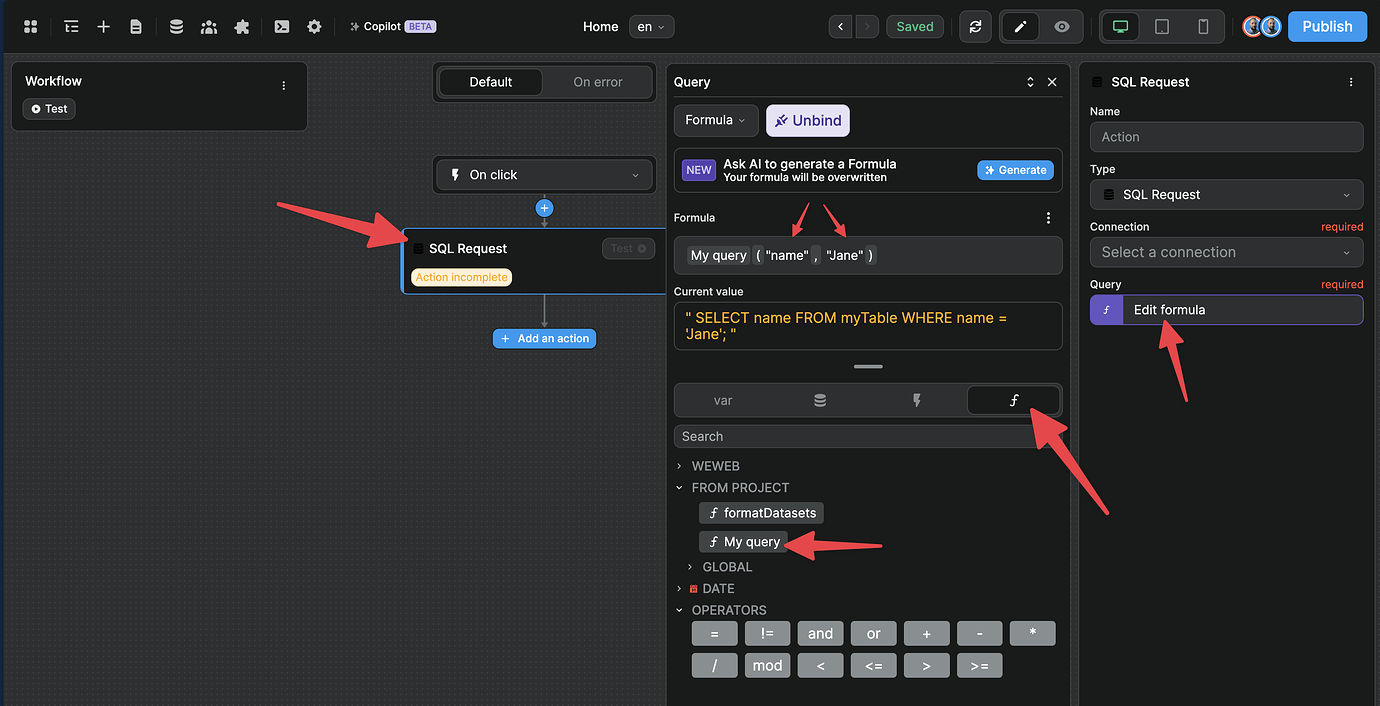
SQL request in workflow
Then you can create a workflow or a collection and use this formula when you need to bind a query. You can easily work with variables in the formula to create Dynamic queries.
Like this: